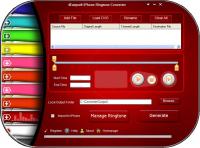
4Easysoft iPhone Ringtone Converter, a helpful ringtone converter for iPhone, iPhone OS 3.0/3.1, makes it easy to create or convert iPhone ringtone. With it, no matter the source is video or audio, it can transfer it as iPhone ringtone.
4Easysoft iPhone Ringtone Converter,a helpful ringtone converter for iPhone, iPhone OS 3.0/3.1, makes it easy to create or convert iPhone ringtone. With it, no matter the source is video or audio, it can transfer it as iPhone ringtone. To meet your needs, it also assists you to make iPhone ringtone from concert recordings, MTV albums, even DVD sources. And it supports formats like MP4, H.264/AVC, AVI, MPEG, WMV, DivX, MKV, RM, MOV, MP3, WMA, WAV, AC3, OGG, RA, M4A, AAC and more.
Plus, this iPhone Ringtone Converter, or iPhone Ringtone Creator works to transfer only part of your video/audio as your iPhone ringtone, then export them to iPhone directly. You are also available to manage your iPhone ringtone, like remove your existing iPhone ringtone, or remove it.
Key features:
1.Convert music like MP3 to iPhone M4R
4Easysoft iPhone Ringtone Converter owns the solution to convert audio, like MP3, WMA, WAV, and M4A to iPhone M4R ringtone.
2.Transfer video as iPhone ringtone
Ability to extract audio from video and transfer it as iPhone M4R ringtone, it supports video formats like MP4, H.264/AVC, AVI, MPEG, WMV, DivX, MKV, RM, MOV, etc.
3.Make DVD as iPhone ringtone
The competence of converting MTV albums, concert recordings, and other DVDs to iPhone ringtone.
4.Get a clip as iPhone ringtone from video/audio
4Easysoft iPhone Ringtone Converter makes it practicable to transfer only part of your video/audio as iPhone ringtone by dragging and dropping the slide bar or inputing the start time and end time.
5.Export to iPhone directly
Check "Export to iPhone" to load your converted ringtone in your iPhone directly.
6.Allow you to convert sound
With this iPhone Ringtone Converter, it allows you to pre-listen the sound effect to make sure it is your wanted converting ringtone.
7.Manage iPhone ringtone
Access to manage your iPhone ringtone, remove it from your iPhone or rename it according to preference.
Whats new in version 3.3.22:
1.Convert concert recordings, MTV albums, even other DVDs to iPhone M4R ringtone for your enjoyment. 2.It's convenient to convert several files at the same time. 3.Updated to support iPhone OS 3.0/3.1 now.
Requirements:
800MHz Intel or AMD CPU, or above; 512MB RAM or more
Operating system:
Win2000,Win7 x32,Win7 x64,WinOther,WinVista,WinVista x64,WinXP,Other
Release notes:
Major Update
Other version information:
| Software |
Version |
Release date |
File size |
| 4Easysoft iPhone Ringtone Converter | 4.0.22 | 2011-08-03 | 6471 KB |

 4Easysoft iPhone Ringtone Converter 3.3.22 details